Noisy Deadlines

linux

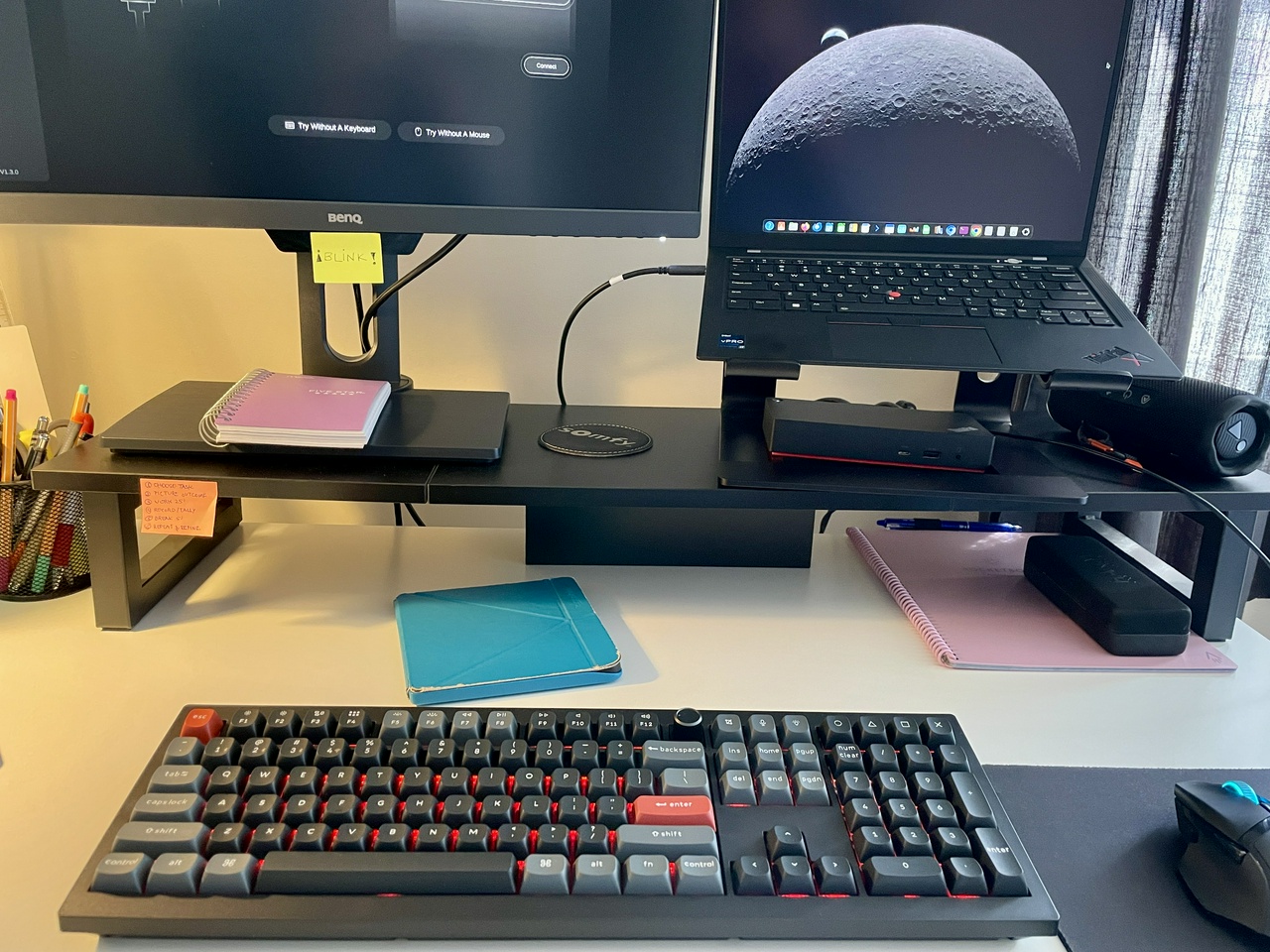
Okay, so I did backup all my data and after the initial tests I decided to stick with Ubuntu 25.10. I did all the experiments on an old laptop that I don't use anymore and I decided to install Linux on my main daily driver: the Thinkpad X1 Carbon.

And I wanted to make it dual-boot with Windows 11, just in case.

It turns out, Windows 11 doesn't really like to share space with another operating system, and I had to go through a bunch of steps to get it ready for dual-boot.

And also, I wanted to have a separate partition only for data, as I used to have in the old days when I would reinstall my operating system once every year at least.

These were the resources that helped me:

Steps to prepare Windows 11 for Dual Boot

This is my checklist:

  1. Clean up Windows partition to free up some space: uninstall apps, clean up C:/Windows/Temp, run Windows Clean-Up Tool more than once including the Clean System files option

  2. Back up data from Windows 11 (I did a full backup of OneDrive, and some other app folders like Calibre/Standard Notes back-ups). Steam was all synced to the cloud, so I just uninstalled everything

  3. Disable Bitlocker on Windows: search for Bitlocker Manger and turn it off

  4. Disable Secure Boot: go to BIOS/UEFI and turn if off (after I turned it off, I had to re-login on Windows with the outlook account and reset my PIN to open Windows again)

  5. Disable Fast Start-Up (>Control Panel>Hardware and Sound>Power Options>Choose what the power buttons do>disable. This is to avoid Windows from changing the GRUB later on

  6. Create a bootable USB with the Windows install for future emergency https://www.microsoft.com/en-ca/software-download/windows11 => Create Windows 11 Installation Media (hopefully, I’ll never have to use this!)

  7. Create free space for Linux using the Disk Manager on Windows

    • Here I couldn't shrink all the space available on my C:/Drive! I had 816 Gb free space, but the Disk Manager only allowed me to shrink 456GB. I searched for an answer online and found this helpful video:
    • Cannot shrink a volume beyond the point
    • I couldn't resize the partition using Windows Disk Manager because of unmovable disk space. I tried all the tricks I saw online (disabling restore, pagesys, hybernation, etc...). The only thing that worked was installing a third-party app to do that for me.
    • Tried out AOMEI Partition Assistant =>did not work out
    • EaseUS Partition Master: could successfully shrink the C:/ drive.
  • So I ended up with these partitions:
    • Windows: 155GB
    • Linux: 128GB
    • Data: 668GB

==> Install Ubuntu using the “Manual Installation” option. The steps described in Rob Braxman's video helped a lot.

First week on Ubuntu

The Ubuntu installation process went smoothly, no issues whatsoever.

I finally copied all my OneDrive backup to my D:/DATA drive. It was super fast!!! Like, less than 20 min, I don't know, 15min? It was so fast I couldn't believe it! I still can't believe how fast everything is with Linux. 🚀

(Note: it took me a whole DAY to copy my OneDrive data in Windows 11 to my SSD)

I decided to switch to another cloud storage service, so now my D:/DATA drive is synced with pCloud.

I learned that it is not good to name folders/files stating with dot “ . “. I mean, in Ubuntu, any item that starts with a .dot is a hidden folder! So I learned to use the CTRL+H to hide/unhide folders/files in Nautilus. I renamed some of my folders as well, to avoid the confusion.

I installed the “GNOME Tweaks” to customize the appearance a bit. That was enough customization for me right now.

I learned that I can use the keyboard shortcut “Win + . ” and then space to open up an Emoji Selector! 😊

I installed Calibre and pointed the location of the Calibre Library as the same place as it was before in my Data drive => And the whole library was there! I didn't loose anything, it was that easy.

After I installed all my usual apps, it was smooth sailing with Ubuntu. I didn't miss Windows at all. I had to log into Windows a couple of times to get some data from Outlook, but other than that, I didn’t need Windows. But, since I went through all the hassle to have it in dual-boot, I’m leaving it there just in case.

Next steps

Now I'm looking at some email/calendar alternatives that are not Google or Microsoft. After some quick searching, I'm doing a 30 day trial of Fastmail, and I'm really impressed with it. It did import all of my old data from Outlook/Gmail without issues in less that an hour. I was impressed.

I'm testing the calendar feature as well, to see if I can sync it with my Work Outlook calendar and vice-versa.

Also, I'll test it using Thunderbird.

#linux #tech

Thoughts? Discuss... if you have a Write.as account or Reply by email


By Noisy Deadlines Minimalist in progress, nerdy, introvert, skeptic. I don't leave without my e-reader.
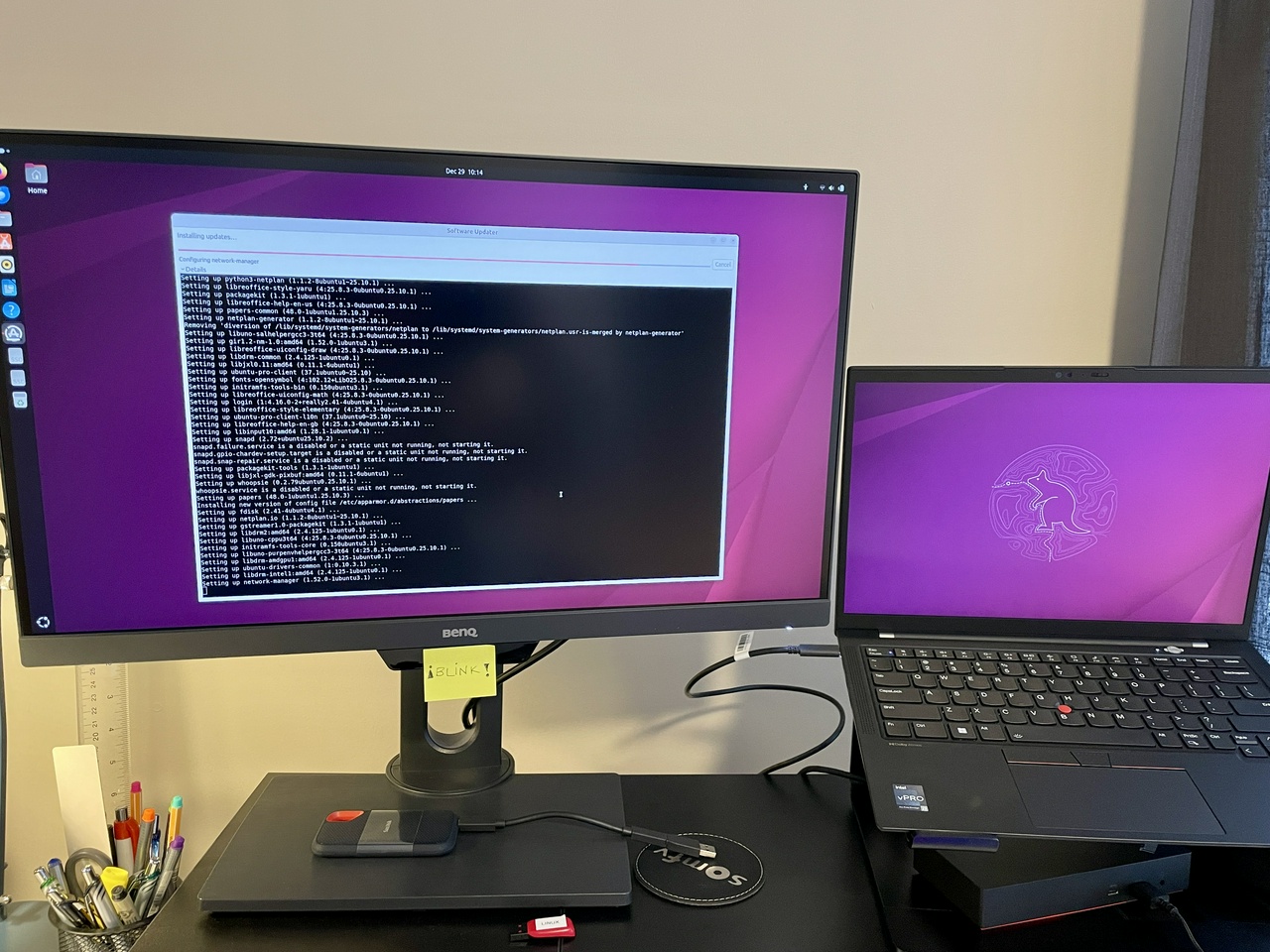
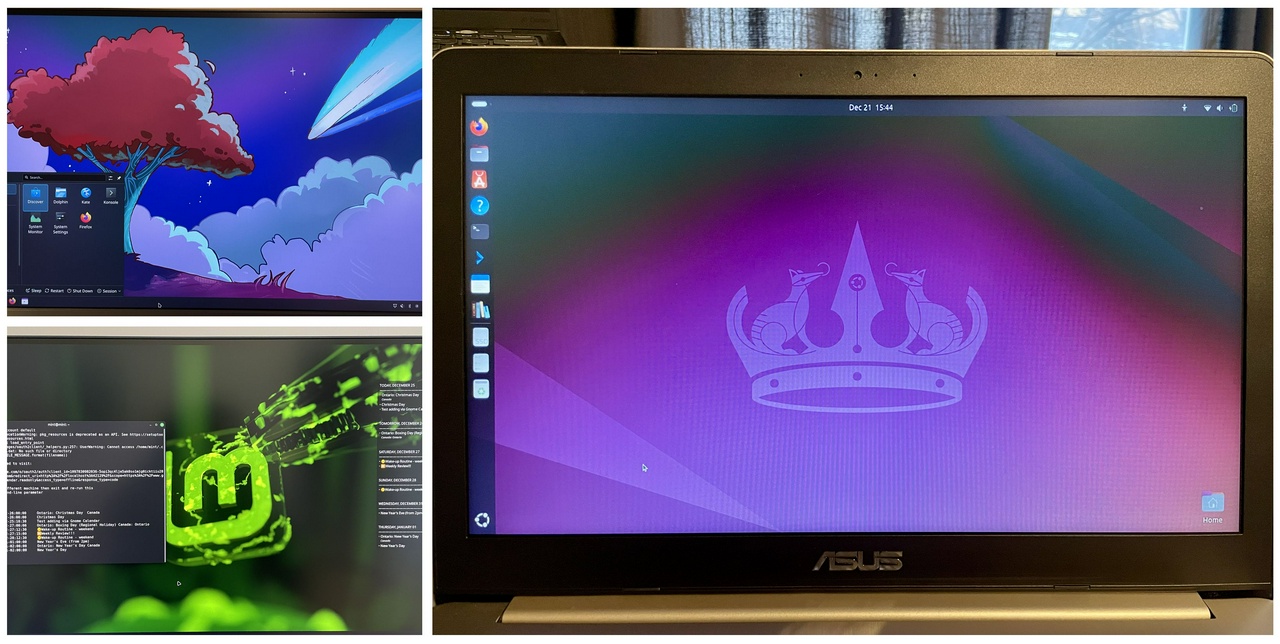
I have been using Linux on my older ASUS laptop for roughly four days now, and I didn’t even need to open Windows for anything. I tested three distros in the meantime, but I mostly used Ubuntu 25.10 to perform tests on all the activities I normally do on Windows, to see if I could make them work.

✅ Things that are working now:

  • Dropbox: I installed Dropbox, and now it works, it’s syncing locally, which I like. But the Dropbox pricing is kinda expensive (min plan is 2TB) and I read some issues they had with privacy, so that is a bit concerning to me, since privacy is one of the reasons I'm switching to Linux.
  • OneDrive: actually, I added the Microsoft 365 to the Online Accounts option in Settings, and it just worked! I can access all the OneDrive files virtually. I want to use this as a transition space until I'm totally switched to another cloud service. This only worked properly with Ubuntu 25.10.
  • pCloud app: I installed the pCloud app and it worked! Everything is syncing! I really like this service. I am thinking of getting the 500Gb plan to test out and transfer my entire OneDrive to pCloud. It syncs superfast, and I can access everything on the web and on my phone. There’s also an option to sync files locally, which I tested. It’s cheaper than Dropbox, and they even offer lifetime plans. Also, super easy to use and set-up on Linux.
  • Thunderbird: Email syncing with Outlook worked well, no issues there. I had a hard time syncing the calendar, though. I had to install plugins (TbSync & Provider for Exchange/Office 365 add-ons for automatic syncing). At first, the syncing produced a bunch of errors. I removed and re-added the account, waited a bit longer, and then it finally started syncing. Now all the calendars I selected are synced. I’m not sure if the syncing errors will happen again, so this is something to monitor. This setup is also a workaround until I switch to another calendar service.
  • I also tried the GNOME calendar, which looks great, I love it! But I couldn't get the Outlook Calendar to show up in there. Google Calendar syncs instantly after adding Google via the Online Accounts settings. Interesting how much easier it is to sync compared to Outlook.
  • I connected the Kobo to Ubuntu via USB. It was recognized, it charges and connects to Calibre, no problem.
  • Bluetooth speakers: my JBL speakers work perfectly!!
  • Firefox: Installed an extension on Firefox to create PWA apps from the web.
  • Calibre/e-Book/DRM: I tried a bunch of stuff, including suggestions from readers of my blog (thank you so much!🤗). What ultimately worked was installing WINE and emulating Adobe Digital Editions along with the de-DRM app on Linux. So I did it! It’s the same process I use on Windows. But I found out how that the DRM plugin on Calibre works, and it can remove DRM from any book when I connect my Kobo to the computer, so that’s cool! I can de-DRM books that I purchased on Kobo, which I was never able to do before.
  • Nautilus: The file explorer Nautilus annoyed me quite a lot, and the customization options are not great. But I found an alternative: Nemo. Installing it with sudo apt install nemo gives me just what I need (like resizing the sidebar).
  • Keyboard shortcuts: I learned how to make a custom keyboard shortcut to open new Nautilus/Nemo windows! I am still learning the usual keyboard shortcuts.

💿 Some distros I tried out

  • Kubuntu 25.10: it's so cute! I love how it looks! However, the Online Accounts option was not there at all! So I couldn't find a way to connect to OneDrive or Google. That makes it kind of useless for me right now during this transition period, though it might be an option in the future.
  • Linux Mint 22.3 (beta): nice and looks great, lots of customization options. But I also couldn't connect to Microsoft (there is an error when it goes to the login page, the webpage to authenticate shows that it's an unauthorized service from Microsoft).
  • Ubuntu 24.04.3 LTS: I went back to my first install in the HDD, and for some reason the Microsoft account connected only works for the calendar, but not for the files. Weird. I think Ubuntu 25.10 is the best option for me right now.
  • I’ve heard about Zoran OS and Bazzite, but didn't try them. They seem to be kinda similar at first glance, and I think I still prefer Ubuntu for now. I don’t want to spend a lot of time distro-hopping, because that will lead me into decision paralysis.
  • 🎯 CONCLUSION: I will start with Ubuntu 25.10. This version gave me all the options and functionalities I needed to get started. And I got used to the GNOME interface surprisingly quickly. I began appreciating the somewhat minimalistic vibes.

📌Some Videos that I watched about choosing a distro:

⏭️ Next Steps

  • I’m doing a full backup of my OneDrive files to my external SSD.
  • Other files I want to back up: My Steam library game saves (I’m not sure all saves are stored online) and my Calibre Library (I will export a backup file).
  • Do a final installation of Ubuntu 25.10 on my main laptop (ThinkPad X1 Carbon) and test all the hardware and functionalities to start using it as my daily driver for personal use.
  • Figure out what I want to do about the online/cloud services I use: cloud storage, digital calendar, emails.

#linux #tech

Thoughts? Discuss... if you have a Write.as account or Reply by email


By Noisy Deadlines Minimalist in progress, nerdy, introvert, skeptic. I don't leave without my e-reader.
The first thing I did was download the ISO image for Ubuntu 24.04.3 LTS. Then I used balenaEtcher to create a bootable USB drive. I got an error when doing this on Windows 11, and after some searching, I found that the solution was to run balenaEtcher as Administrator for the image to work. Even then, I still got another error, I don’t remember exactly what it was. In the end, I switched to Rufus to create the bootable USB, and that worked.

I managed to create the bootable USB and installed Ubuntu on my old ASUS VivoBook Pro laptop. All the hardware worked out of the box, which was great. Even the NVIDIA graphics card was recognized and installed automatically.

So far, I've tested:

  • Wi-Fi/Sound/keyboard/mouse/monitor: no issues at all
  • Bluetooth: worked well with Jabra Evolve headphones
  • Firefox Browser: perfect
  • Standard Notes: I installed the app and it works beautifully
  • Nirvana: web based and works perfectly as a PWA app
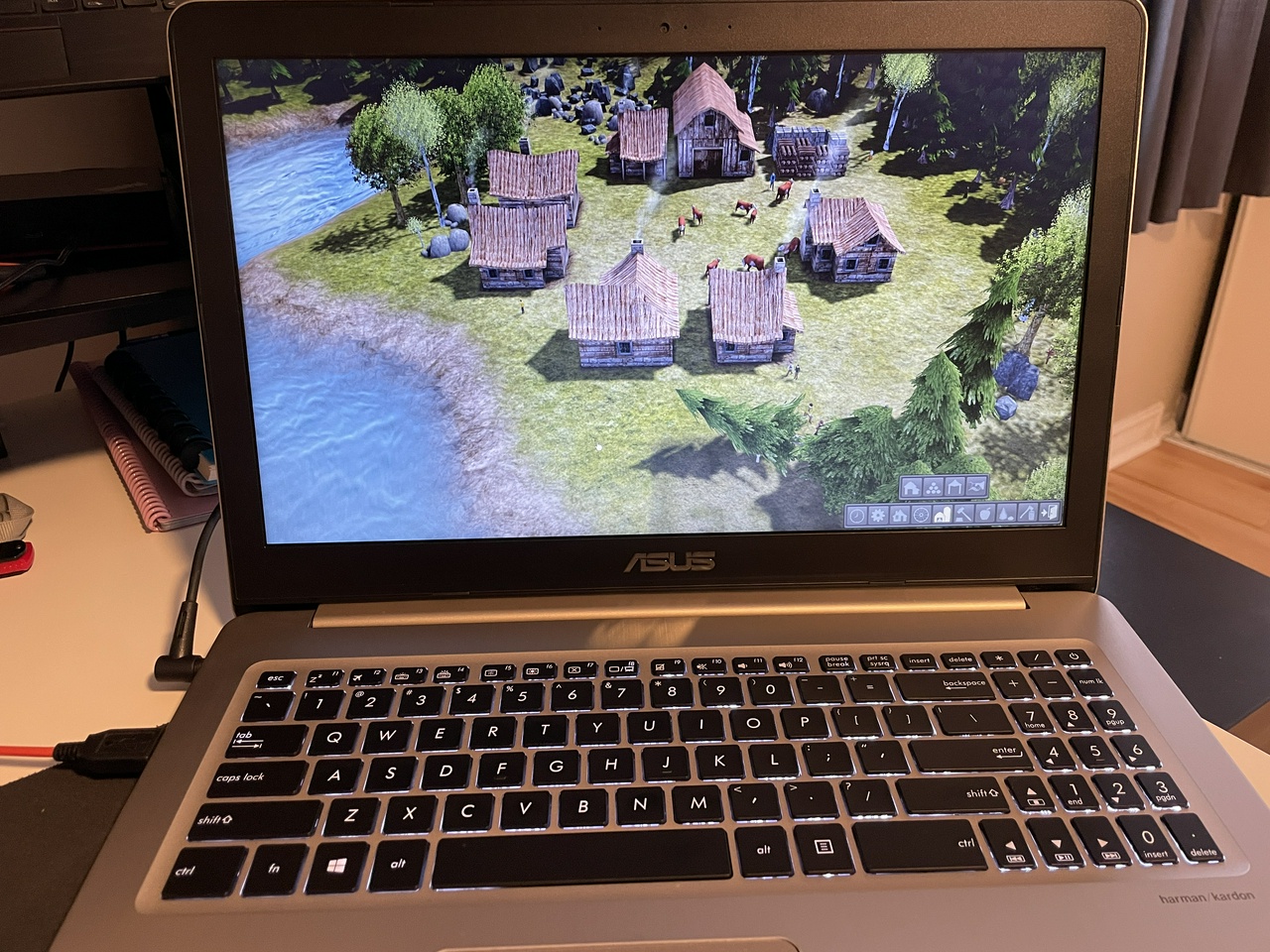
  • Steam: installed it and played Banished. It ran even better than on Windows, with more options to adjust zoom, scale, and font sizes
  • Deezer: installed an app and listened to music with my headphones
  • Calibre: successfully installed for e-book management. I still need to explore using it to open library e-books shared in the Adobe Digital Editions .acsm format. The internet suggests this is possible with some plugins
  • LibreOffice / OnlyOffice: great alternatives to the Microsoft suite, it will be easy to switch
  • pCloud: created a free account to test it out (seems pretty good!)
  • MEGA: created a free account to test it out (didn’t like it that much, for some reason)

Things that I tried but did not work:

  • Installing Dropbox and getting it to integrate with Nautilus (did not work at all!)
  • Setting up GNOME Online Accounts for OneDrive: I kept getting an error saying the service could not connect
  • Installing the MEGA application on Linux: nothing happened, and it didn’t work out

Things I want to test:

  • Plugging in my Kobo to see if Calibre recognizes it (I forgot to test this)
  • Dropbox: I still have a Dropbox account, and it was the first option that came to mind to replace OneDrive. I read that Linux support is good, but on my first attempt I couldn’t get the native app working. I’ll revisit this
  • pCloud Drive: this seems like another solid alternative to OneDrive. I tested it on Windows, and it worked great; now I want to see how well it integrates with Linux
  • Discord: there’s a Linux app available. I still need to try it
  • Lenovo Universal Dock: I have a ThinkPad dock that I use to connect my monitor and peripherals to my other laptop. I expect it to work with Linux on my ThinkPad X1, but I also want to see if I can get it working with the ASUS laptop. The internet seems to agree that it should work, but I still have to figure it out.
  • Emails in Mozilla Thunderbird
  • I started with Ubuntu, but I'm intrigued to at least try out Linux Mint. I am not sure if I liked the GNOME desktop environment. It could be because I didn't actually do any customization. Something to explore.

Something I want to do first, before I continue more testing

  • The ASUS laptop I'm using to test Linux has a 256GB SSD + 1TB HDD. I made the mistake of installing Ubuntu on the HDD, instead of the SSD, so Ubuntu didn't feel that smooth, it's a bit sluggish (still better than Windows 10, tho). So before I continue any explorations, I will start over and do a full reinstallation on the SSD.

Banished on Linux

Note: I wrote and published this post on Linux 🙂

#linux #tech

Thoughts? Discuss... if you have a Write.as account or Reply by email


By Noisy Deadlines Minimalist in progress, nerdy, introvert, skeptic. I don't leave without my e-reader.

It's funny, because I really don't have any major issues with my Windows personal laptop right now. It boots fine, and I have all the tools I need. Still, getting back to Linux has been on my mind for a long time.

Looking back, the first time I used Linux was probably around 2004. In Brazil, Linux became popular with the distro Kurumin, which was based on Knoppix. I got a book from the author on how to understand Linux, and that’s when I learned the basics. Between 2010 and 2013 I was playing around with Ubuntu. I had a dual-boot desktop with Windows and Ubuntu for years, but I never fully jumped ship because of video games and AutoCAD. Back then, running games on Linux was either too complicated (using Virtual Machines would crash a lot), or simply impossible. AutoCAD is a 2D and 3D architecture/engineering drafting and design software I used a lot, and it still doesn’t have a native Linux version.

Today, that might be a different story, and that’s exciting. Gaming on Linux has become much more viable, and I don’t use AutoCAD anymore.

This is mostly a fun project for now. I know it will be hard and time-consuming at times, but I will be learning something, and I used to love that. Or, it might be a breeze, I don’t know! For some reason, learning operating systems has always been fun for me. I don’t fully know why, but it scratches a certain itch. So I am going to embrace this experiment and see where it takes me.

I still feel a bit conflicted because I am not particularly irritated with Windows in my day to day personal use yet. I was able to disable or ignore most of the annoying things on Windows. And to be honest, it's very convenient for me to have Windows and Microsoft 365, which integrates well with my work email/calendar/files.

At the same time, this feels like an ideological question, when I look at the grand scheme of things. Do I want to keep using Microsoft as they fill everything with AI, make Windows more restricted, and increasingly push ads into the experience? There are simple things I have wanted from Windows for years, like a proper calendar widget on the desktop or better integration between Outlook and To Do (which never happened!). On Linux, I could have a completely different experience with different solutions, one I can shape and customize the way I want.

So, in the end, this Linux experiment is a great way to build for the future. It is a chance to continue exploring open source solutions and to stay in a constant state of learning. I think it is going to be an interesting journey. That is really what this is, a journey. I will learn new things, try new setups, and be part of a community that values freedom and privacy.

#linux #tech

Thoughts? Discuss... if you have a Write.as account or Reply by email


By Noisy Deadlines Minimalist in progress, nerdy, introvert, skeptic. I don't leave without my e-reader.

💾For a complete summary list of my blog posts grouped by year, click here.

🎈 Things I write about :

Sections:

🎨 #NoisyMusings: a little bit of everything 📂 #Productivity: organization, methods, apps, GTD 📚 #Books: everything book related

Some Topics:

#apps | #Nirvana (the app, not the band) | #Todoist | #GTD | #MSTodo | #notes | #journal | #journaling | #BookReview | #ReadingList | #Reading | #ReaderGoals | #BookWyrm | #TheStorygraph | #weeknotes | #podcast | #GTDnotes | #100DaysToOffload | #projects | #goals | #DnD

#internet | #socialmedia | #attentionresistance #minimalism | #digitalminimalism #outdoors | #Hiking | #winter | #iceskating | #music | #heavymetal | #puzzle | #health | #tech | #linux