I started a personal Bullet Journal in June 2026, so it’s been a little bit over 2 months.
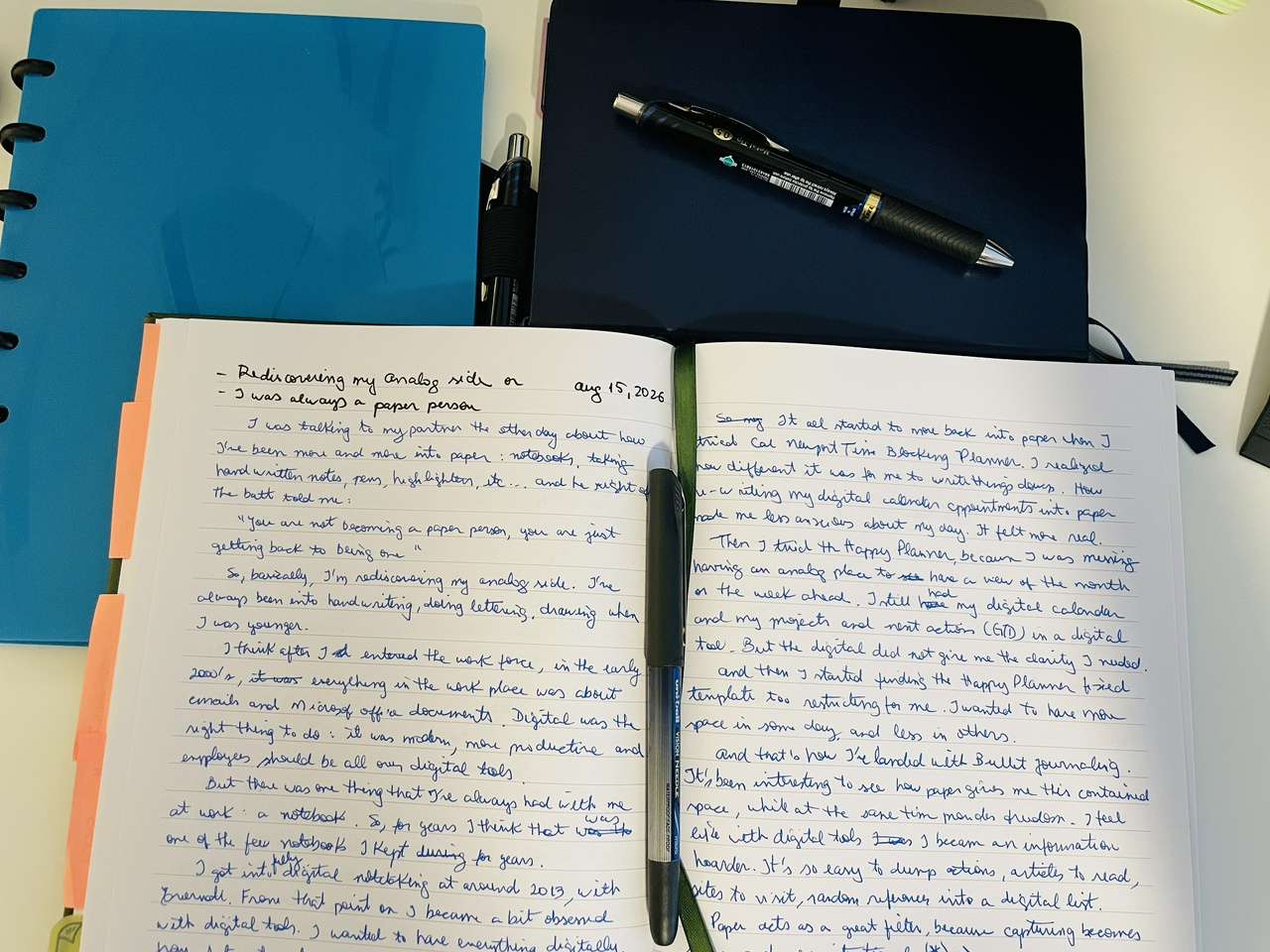
I read the book “The Bullet Journal Method” by Ryder Carroll and watched some online videos. This is the second time I’ve tried Bullet Journaling, the first time was roughly a year ago. As I wrote in this post I’ve been drawn to paper more and more lately.
I followed the basic Bullet Journal (or BuJo) setup steps, which include:
Choosing tools: notebook and pen
Doing a mental inventory (very similar to the GTD mind sweep) and separating items into 3 sections: Doing, Need to do, and Want to do (these are used to populate the BuJo lists)
Adding your name and phone number to the notebook (in case it gets lost)
Setting intentions
Setting up the Index
Setting a spread for the Future Log
Starting the first Daily Log and rapid logging
Doing a Weekly Reflection at the end of the week
Setting up a Weekly Plan and a Monthly Log
Adding new Collections as needed
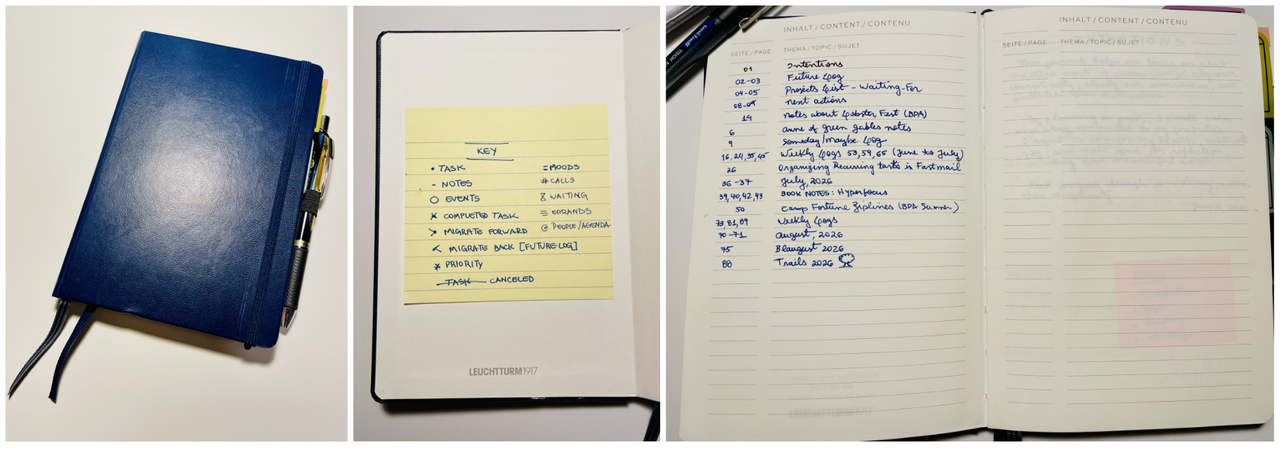
I chose a Hardcover Leuchtturm1917 size B6+ with 80g/sqm paper. I like the size, not too big, not too small. I carry it with me together with my Kobo Libra. I added a pen loop so that I always have my Pentel EnerGel 0.5mm in blue with it.
But I also use additional assorted highlighters (Mildliners), colored pens and black Micron pens for titles.
Initial Pages
The Leuchtturm1917 notebook already comes with dedicated pages for Index, so that was easy. I added a post-it on the back cover with my “Key” which is simply a quick reference that lists all the symbols I’m using for rapid logging.
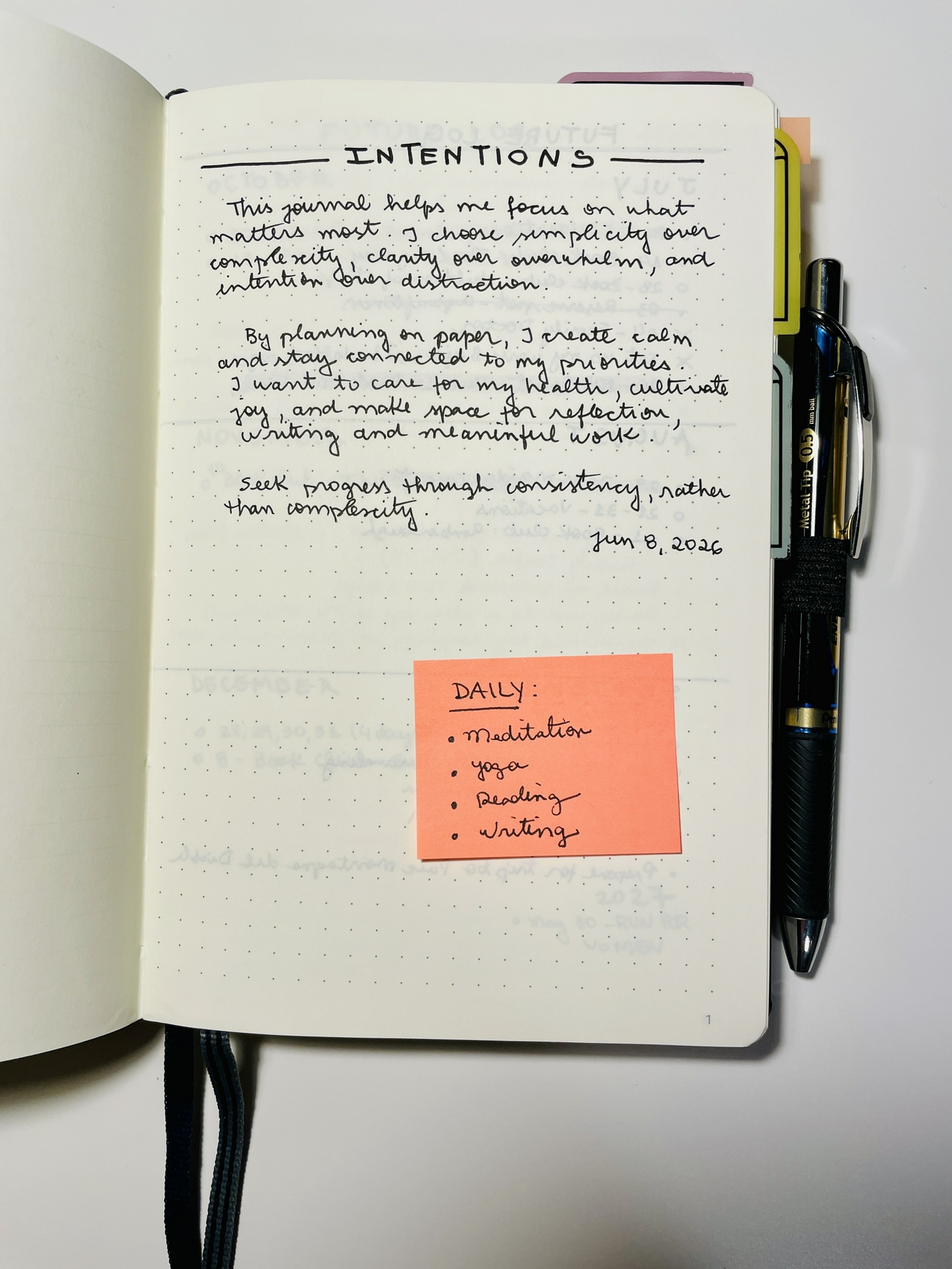
Then there is the Intentions page, which is emphasized a lot by the Bullet Journal author, as it encourages us to clarify what we hope to accomplish and keep our daily actions aligned with our broader goals.
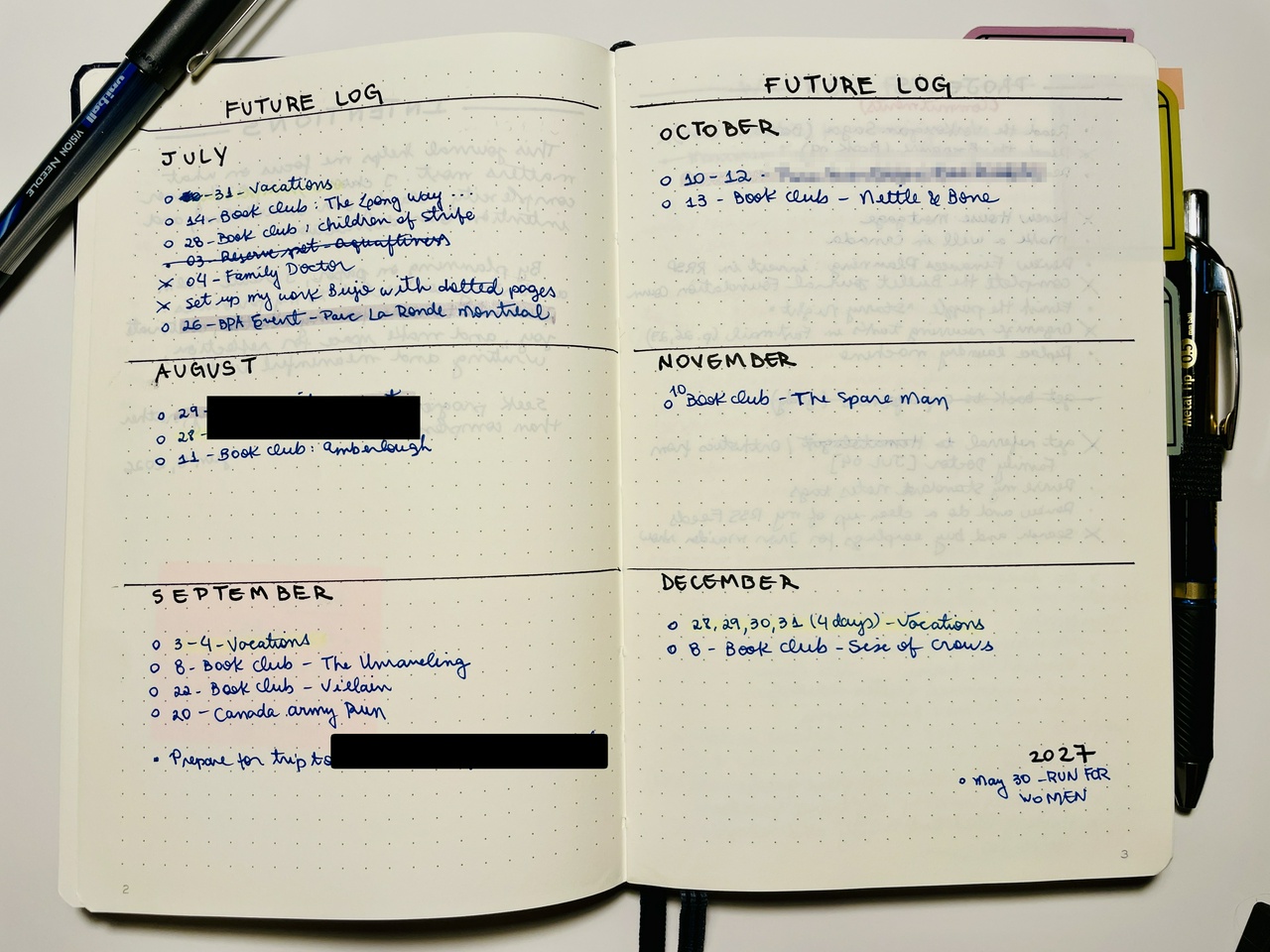
After that I have the “Future Log” which covers the next 6 months from the date I started the journal. In this case, it was from July to December. This spread holds future dates, planned events, planned start of projects.
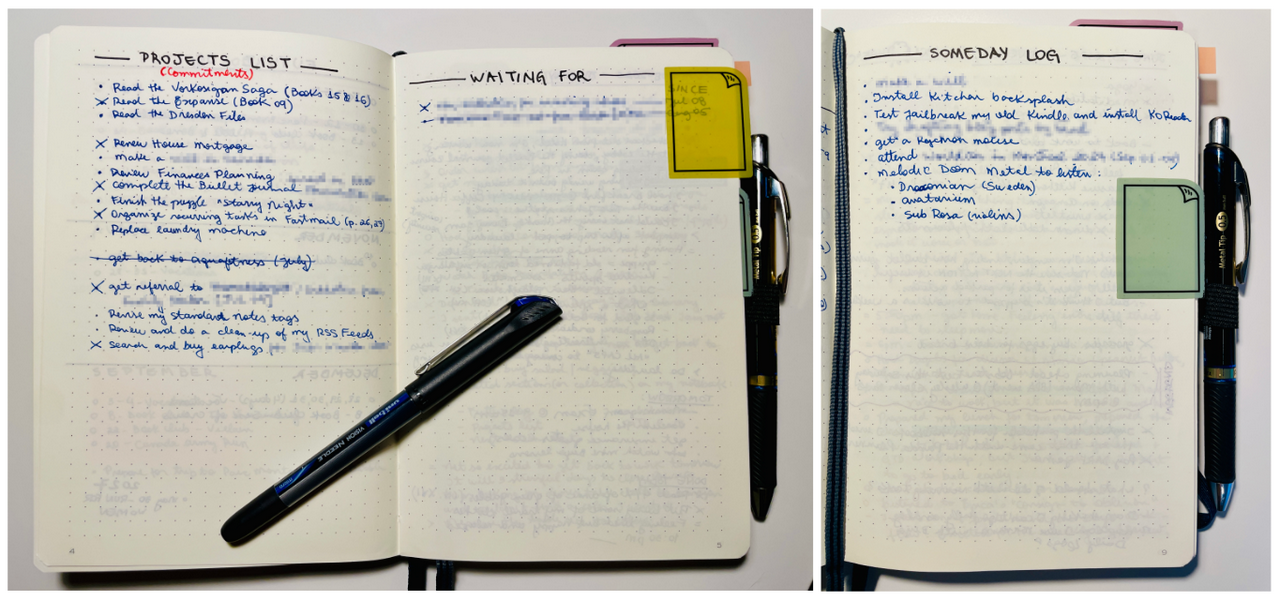
Because I am a GTD’er I couldn’t start without setting my “Projects List” and my “Waiting For List”. I also setup “Someday Log” page. These are considered “Custom Collections” in BuJo lingo.
Daily Logs
I spend most of my time with the Daily Logs. These are setup the day before or early in the morning. One thing that I like to do is have my core habits at the top everyday (Yoga/Stretching, Meditation, Reading) so that I check them daily.
Then I add events from my calendar from the day, and any actions I want to get done. The interesting thing about BuJo is that it works as both a journal and task manager tool. So I jot down ideas, tasks, thoughts, feelings and reflections on the daily log.
I am using the original notation system, as described in this page:
- Notes: Indicated by a dash (–), are for logging ideas, insights, dates, data, and facts.
- Actions: Indicated by a simple dot (•), are for logging actions. As opposed to checkboxes, Actions can have multiple states, like completed (X), moved(>), canceled, delegated(/), and so on.
- Moods: Indicated by the equals sign (=), are for logging feelings. These can be emotional or physical feelings like joy, pressure in the chest, butterflies, anxiety, fatigue, excitement, etc.
- Events: Indicated by an open circle (◯), is for experiences, such as appointments, meetings, parties, or deadlines.
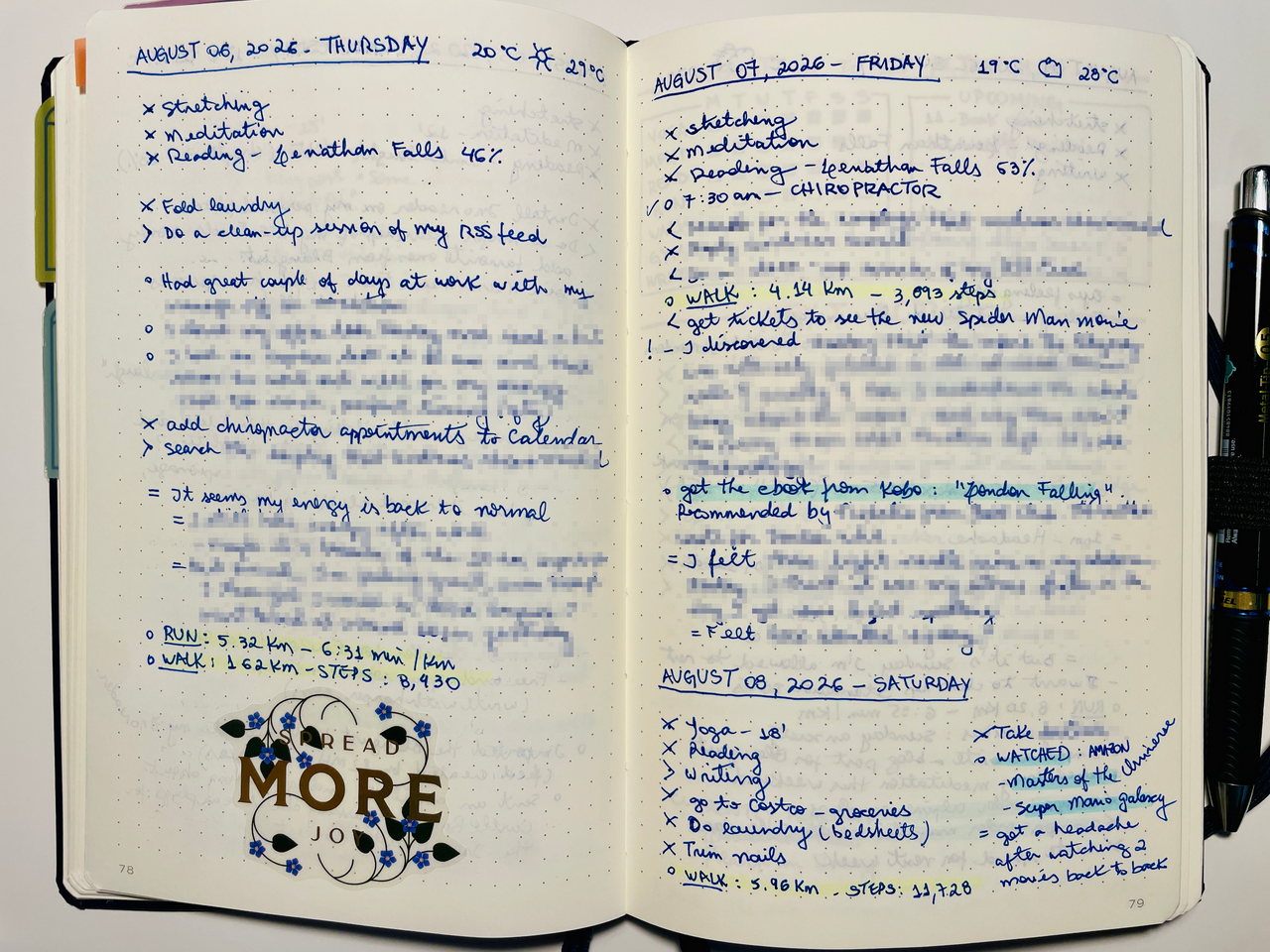
An example of my Daily Log spread
Weekly Reflection / Plan
Similar to the GTD Weekly Review, BuJo recommends a Weekly Reflection.
I start with:
- Tidy Records: go back and review the past week to update any information, check completed actions, migrate any items to different logs (future log, monthly log), cross off any canceled actions.
- Process Inbox: this comes from GTD, and I process my physical inbox and my email inbox.
- Check Calendar: I review my digital calendar and add dates to my Bullet Journal for the following week.
Then I reflect on the past week and take some notes answering the following questions:
- What went well?
- What could go better?
- What will I do this week?
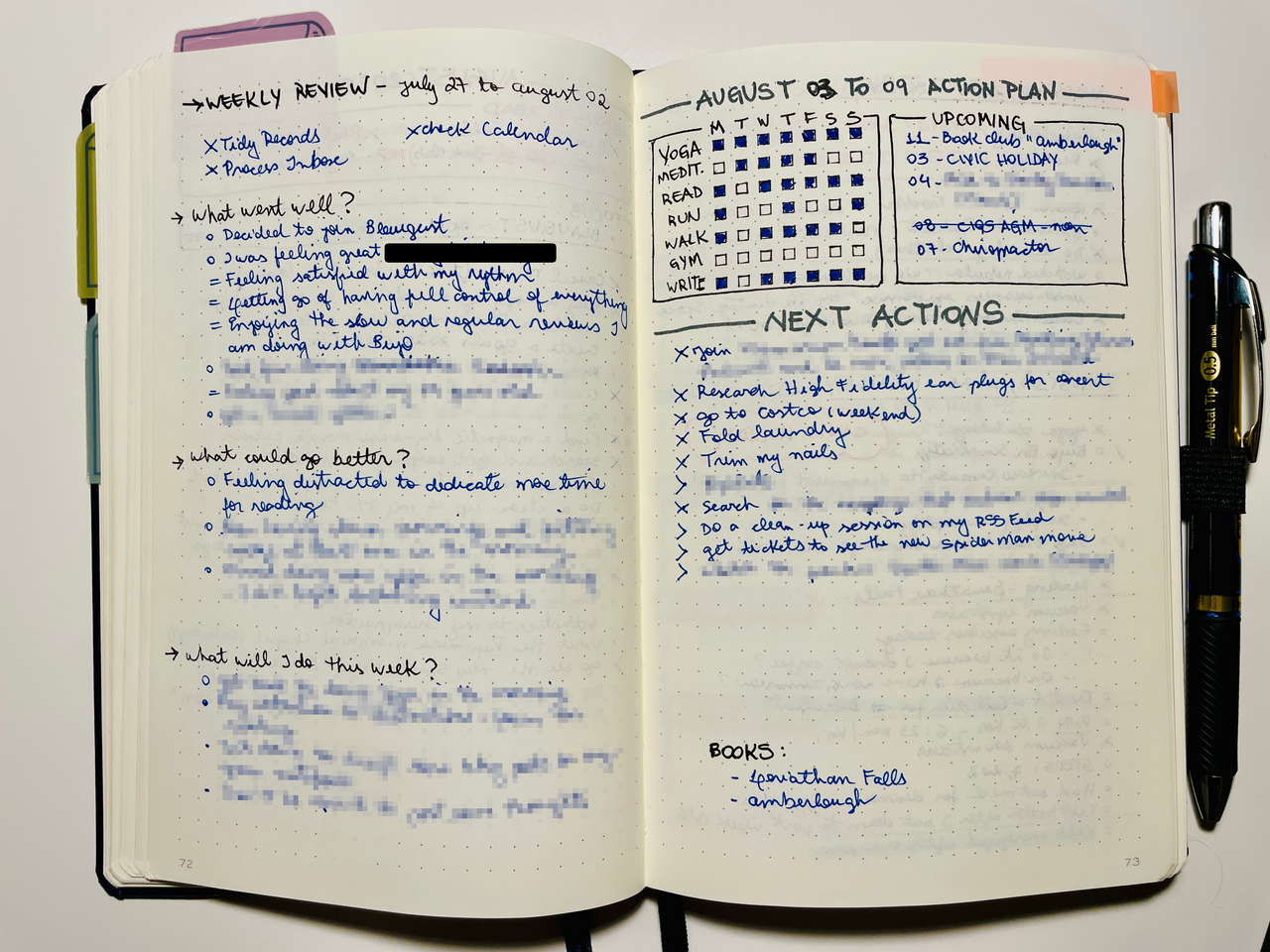
An example of my weekly reflection/plan
Next, I create a page with my week action plan. I like to create my core habits tracker, a space for upcoming events/dates and then the next actions I plan on doing that week. I’ve started adding the books I will be reading as well.
Monthly Log
I really like the Monthly Log collection. It helps me get a birds-eye view of what’s coming ahead and it also functions as a record of milestones and wins.
I set the left side as described in the book with the list of the days of the month. Very simple. This video from Ryder Carroll explains the different time horizons and how they work together.
On the right side I add the books I want to read, the focus of the month and then a list of next actions. Every week I will review this list to migrate actions to Week Plan. Some of them go directly to my Daily Plan as well.
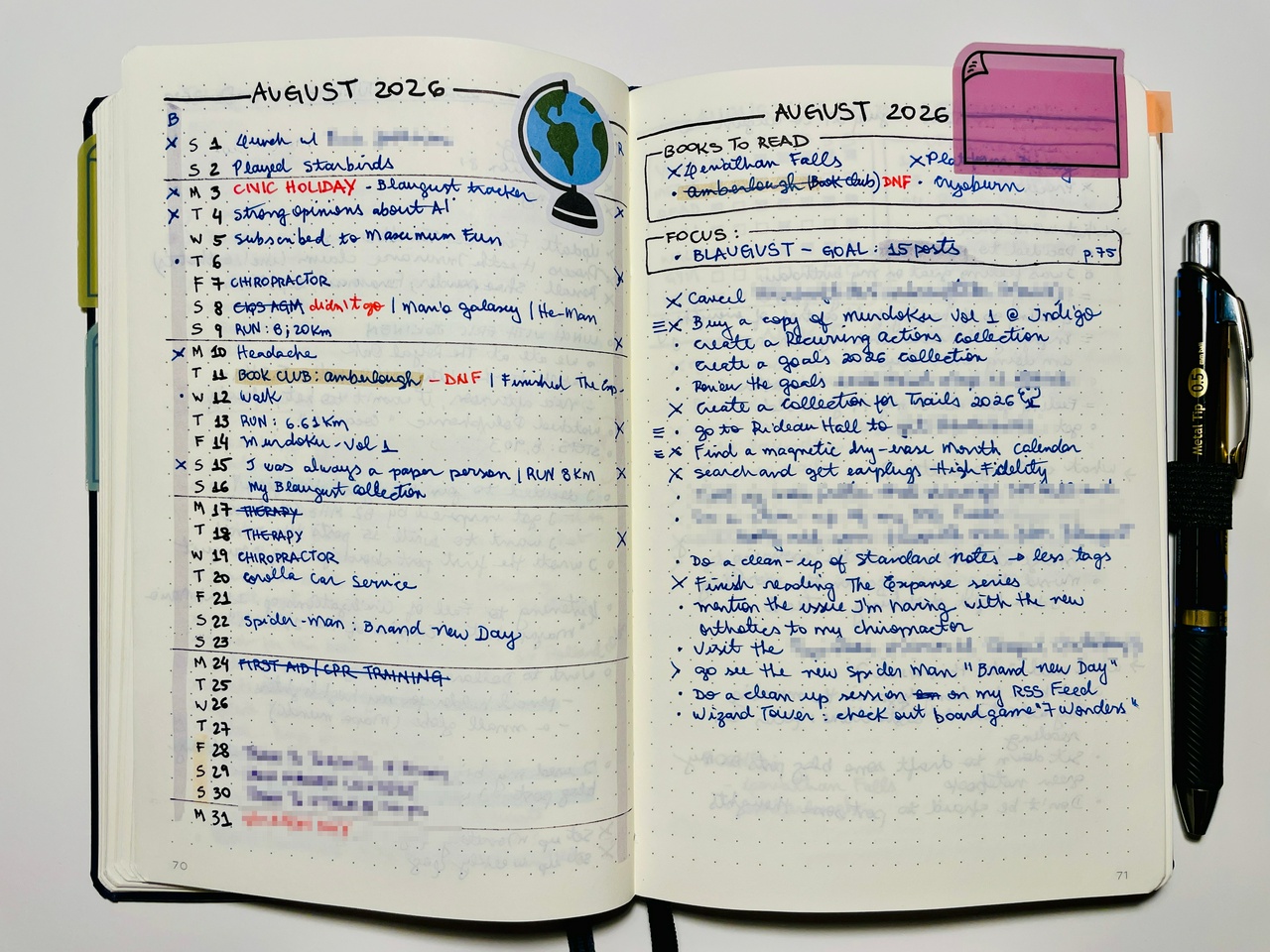
Monthly Log
Custom Collections
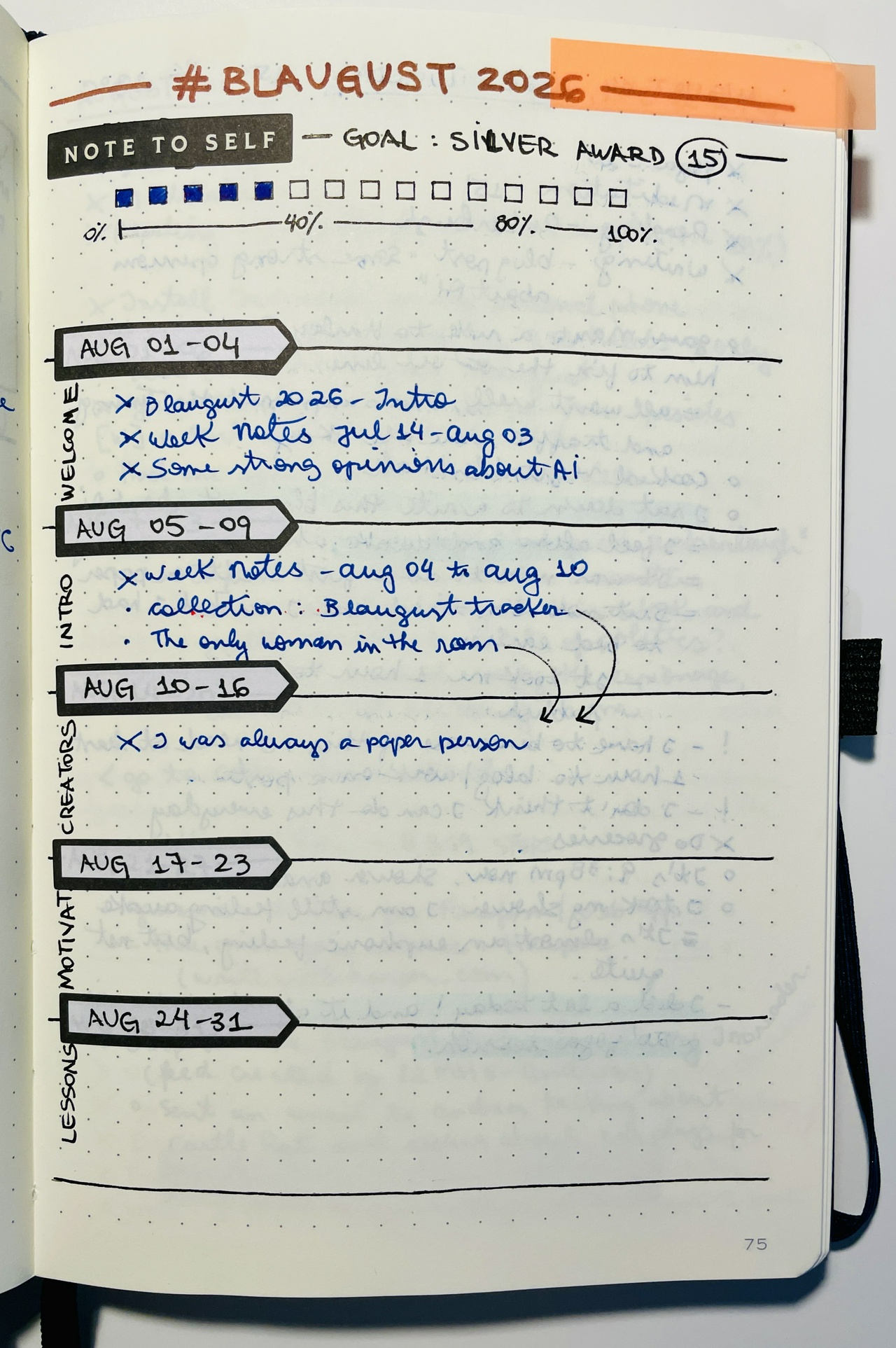
I can use any other page of the notebook to add custom collections, like this one I created for Blaugust. Or add notes from a book I’ve read. Or plan a project. It can be anything! And then I add the page number to the Index so I can come back to it.
I also use sticky tabs to mark pages I want to quickly reference, like the current Monthly Log.
—
And that is my current setup!
I don’t prepare any week spreads in advance, and I don’t reserve any blank pages. It all goes sequentially, whenever I find the next blank page. I will occasionally use stickers, something I got from using Happy Planners. But other than that, I try to keep it easy to use. No crazy decorations.
And here are some of the references I used in this journey:
References
—
Post 10 of #Blaugust #Productivity #journal #journaling #bujo
Thoughts? Discuss... if you have a Write.as account or Reply by email
By Noisy Deadlines
Minimalist in progress, nerdy, introvert, skeptic. I don't leave without my e-reader.


 My Food Diary with my Kobo (yes, they match colors!)